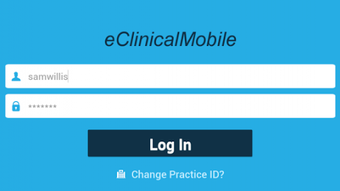

Download eClinicalMobile APK – free, secure, HIPAA-compliant, Android, medical records, prescription, patient management
Overview
eClinicalMobile® for Android™ is a dedicated mobile application developed by eClinicalWorks LLC, designed to support medical professionals in managing patient information on the go. The software serves as a digital extension of the eClinicalWorks® electronic health record (EHR) ecosystem, enabling healthcare providers to access critical patient data from any location using an Android device. Its primary purpose is to streamline clinical workflows by offering remote access to medical records, medication lists, laboratory results, and vital signs.
Target users include physicians, nurses, and other licensed healthcare practitioners who require immediate access to patient histories outside traditional clinical settings—such as during home visits, telehealth consultations, or on-call shifts. The app is especially beneficial for providers working in decentralized or rural healthcare environments where physical access to a clinic or hospital system may be limited.
As a HIPAA-compliant platform, eClinicalMobile ensures secure handling of protected health information (PHI), meeting stringent regulatory standards for data privacy in the United States. The developer did not provide additional details about the company’s background beyond its name and product line. Real-world use cases include remote diagnosis, prescription writing, appointment scheduling, and patient communication—all conducted securely through a mobile interface.
Key Features & Capabilities
- Remote Patient Record Access: Allows medical providers to view comprehensive patient medical histories, including past diagnoses, treatment plans, and clinical notes, directly from their Android device.
- Medication Management: Displays current and historical medication lists, helping providers monitor adherence and avoid drug interactions during consultations.
- Laboratory and Vital Data Integration: Enables real-time access to recent lab results and vital signs such as blood pressure, heart rate, and temperature, supporting timely clinical decision-making.
- Prescription Writing: Facilitates secure electronic prescribing, allowing authorized users to generate and send prescriptions directly to pharmacies from the mobile app.
- Appointment Scheduling: Supports the creation and management of follow-up appointments, improving continuity of care and reducing administrative delays.
- Patient Communication Tools: Allows users to send secure messages to patients and add new patients to their eClinicalWorks® account, fostering ongoing engagement and care coordination.
These features are particularly useful during mobile consultations, urgent care scenarios, or when coordinating care across multiple providers. The app’s integration with the eClinicalWorks® platform ensures consistency and accuracy in data transfer, minimizing errors associated with manual recordkeeping. While specific performance benchmarks were not provided, the app is designed to function efficiently within standard mobile network conditions.
User Interface, Workflow & Performance
The user interface of eClinicalMobile is structured to prioritize clarity and ease of navigation, with a clean layout that organizes patient data into logical sections such as demographics, medical history, medications, and test results. Navigation is primarily menu-driven, with intuitive icons and consistent labeling to support quick access to key functions.
Workflow efficiency is enhanced through streamlined processes for common tasks like viewing records, writing prescriptions, and scheduling appointments. The app maintains a responsive interface during routine operations, though performance may vary depending on network speed and device capabilities. The developer did not specify resource usage details, so CPU and RAM behavior remain unverified.
Stability appears to be maintained across typical usage scenarios, as the app is designed for mission-critical healthcare functions. However, exact performance metrics and crash reports were not disclosed. Users are advised to ensure their device meets general Android requirements for secure app operation. Overall, the app follows standard mobile UX patterns, minimizing the learning curve for experienced healthcare IT users.
Compatibility & System Requirements
eClinicalMobile is designed for Android devices and is available as a free download via the Google Play Store. The software version and exact installation size were not specified in the provided information. Compatibility with specific Android versions or device models was not detailed.
Platform compatibility information is limited, and the developer did not provide additional system requirements. Users should verify that their Android device supports the latest security protocols required for HIPAA-compliant applications. The app is intended for use in clinical environments where data integrity and privacy are essential, suggesting a need for up-to-date device firmware and secure network connections.
Pros and Cons
Pros
- Free to download and use on Android devices
- HIPAA-compliant for secure handling of patient data
- Enables remote access to full medical records and lab results
- Supports electronic prescribing and appointment scheduling
- Facilitates secure patient communication and care coordination
- Integrates with the eClinicalWorks® EHR platform
Cons
- Availability limited to Android devices only
- No information on system requirements or file size
- Dependent on existing eClinicalWorks® account for full functionality
- Performance details not publicly disclosed
- Not available on iOS or other platforms
FAQ Section
Is eClinicalMobile available for iOS devices?
As of the provided information, eClinicalMobile is only available for Android devices. There is no official version listed for iOS.
Is the app secure and compliant with healthcare regulations?
Yes, eClinicalMobile is designed to be HIPAA-compliant, ensuring secure handling of protected health information (PHI) in accordance with U.S. healthcare privacy standards.
Do I need an existing eClinicalWorks® account to use the app?
Yes, the app requires a valid eClinicalWorks® account to access patient records and utilize full functionality. It is not a standalone application.
Can I use eClinicalMobile offline?
While the app may cache some data, the developer did not specify whether full offline functionality is supported. Access to real-time records and updates likely requires an active internet connection.
How often are updates released for the app?
Update frequency was not disclosed. Users are encouraged to keep the app updated through the Google Play Store for security and feature improvements.
Final Thoughts
eClinicalMobile offers a reliable, secure, and feature-rich solution for medical providers seeking to manage patient care beyond the clinic walls. Its integration with the eClinicalWorks® platform, combined with HIPAA compliance and essential clinical tools, makes it a valuable asset for healthcare professionals on the move. While limitations exist—such as Android-only availability and lack of detailed system specifications—the app delivers on its core promise: enabling timely, accurate, and secure access to patient data.
Medical practitioners, especially those in remote or mobile healthcare roles, stand to benefit most from this tool. For users already embedded in the eClinicalWorks® ecosystem, eClinicalMobile enhances workflow continuity and improves patient engagement.
Download eClinicalMobile now







